Hey everyone!
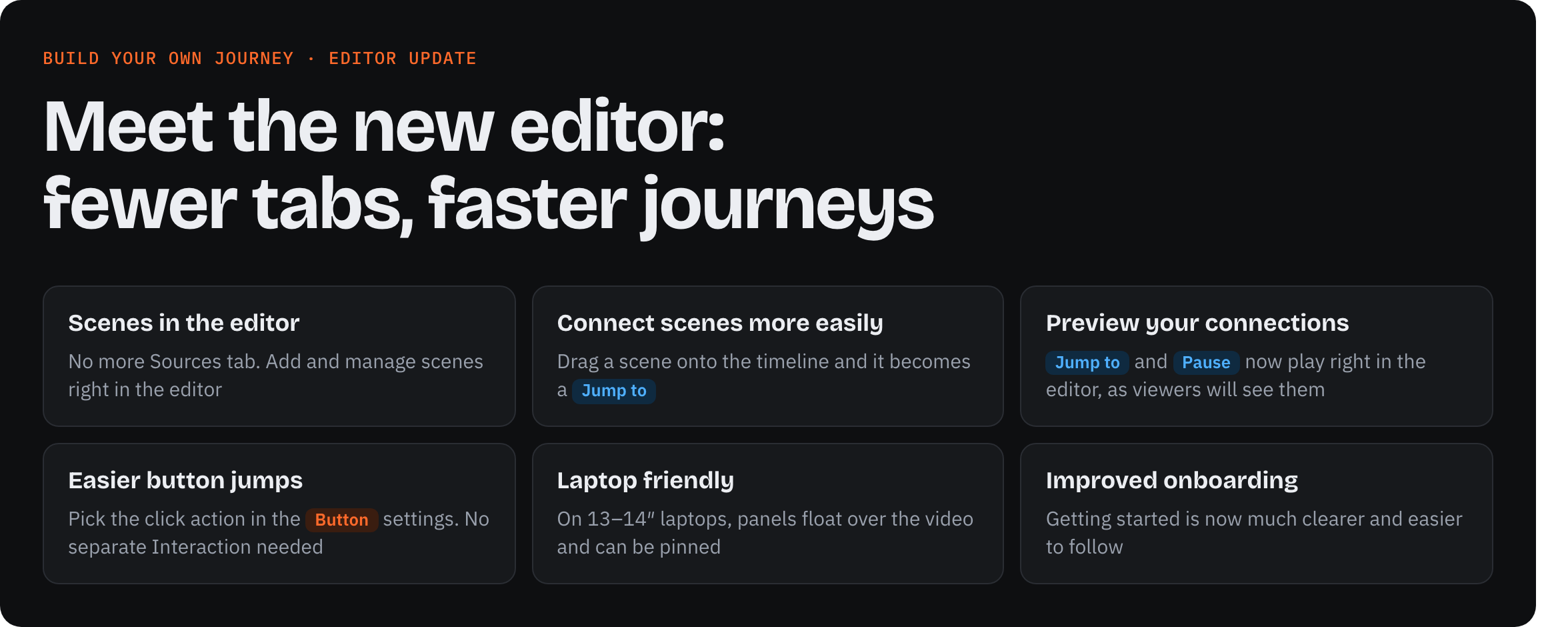
We’re releasing a big update to the BYOJ editor: fewer tabs, faster journeys. Your projects and templates keep working as they are
See everything that changed →
What’s new
Scenes in the editor. No more Sources tab. Add and manage scenes right in the editor
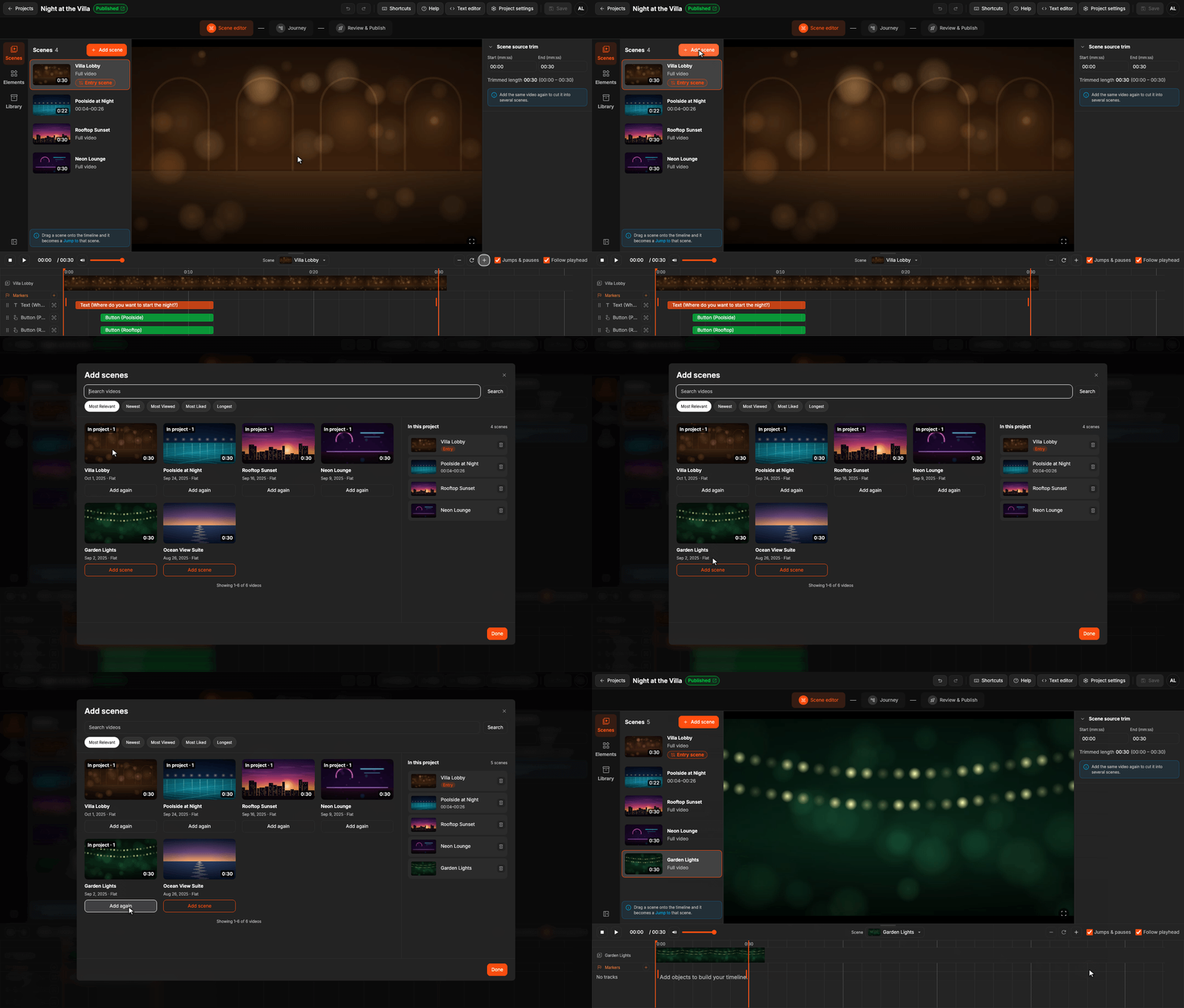
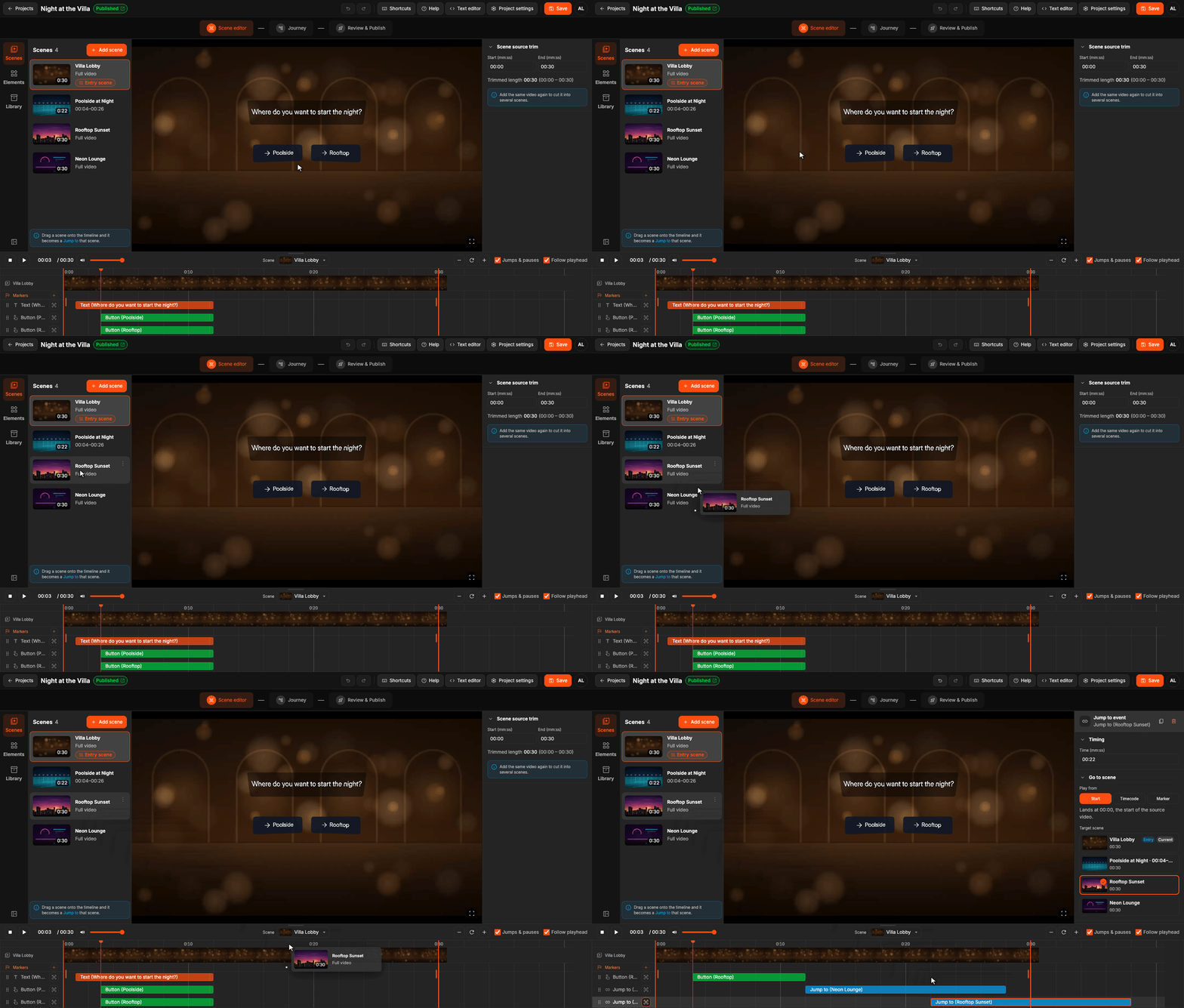
Connect scenes more easily. Drag a scene onto the timeline and it becomes a Jump to
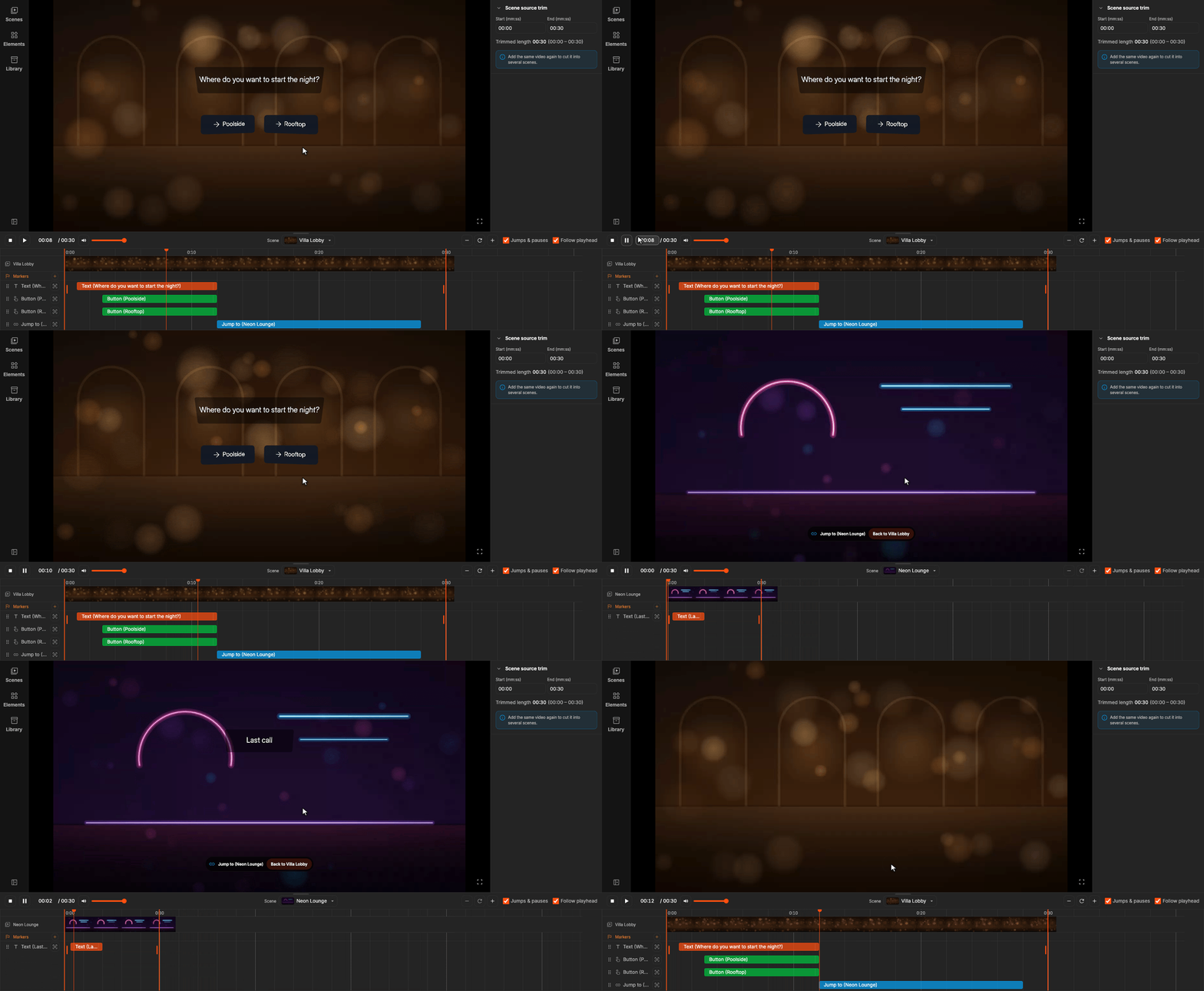
Preview your connections. Jump to and Pause now play right in the editor, as viewers will see them. Working on timing? Turn off Jumps & pauses under the player
Also new:
- Easier button jumps. Pick the click action in the Button settings. No separate Interaction needed
- New sidebar menu. Scenes, Elements and Library, each one click away
- Trim with two keys. Press I where the scene should start and O where it should end
- Laptop friendly. On 13–14″ laptops, panels float over the video and can be pinned
- One Save. Save sits in the header on every tab and replaces Publish / Update
- Improved onboarding. Getting started is now much clearer and easier to follow
Smaller changes
- Inspector sections fold, and the editor remembers which ones you keep open
- Short inspector fields share a row. Text size is in Content, under the text
- In Jump to settings, Play from comes before the target scene
- The marker list in Jump to shows each marker’s flag in its colour
- Double-click an item in the Library, or press F on it, to go to it
- The timeline zooms out to a whole scene, up to an hour. Zoom buttons double and halve
- Resize handles show only on bars wide enough to resize
- Double-click a text on the video to edit it in place. A click outside saves it
- A new text is ready to type into
- A fullscreen button on the player
- A right-click on the video no longer drags the view
- Shortcuts do nothing while a dialog is open
- Esc in a search clears it first, then closes the panel
- Space plays the video right after you click a timeline checkbox
- Sliders and menus look right in Safari
- Build BYOJ with AI is easier to spot, and its instructions match the new layout
- Used in scenes takes you to the element on its scene, and a trim change keeps the playhead inside the trim
Full update notes →
Try the new version of the editor and let us know in this thread what works well, what’s missing, or what feels off. Thanks for building with BYOJ!
